
Skip to content

DashComms

Every message based on how people actually park

Dash turns the parking data you already have into customer insight, then puts it to work with campaigns and automated triggers.

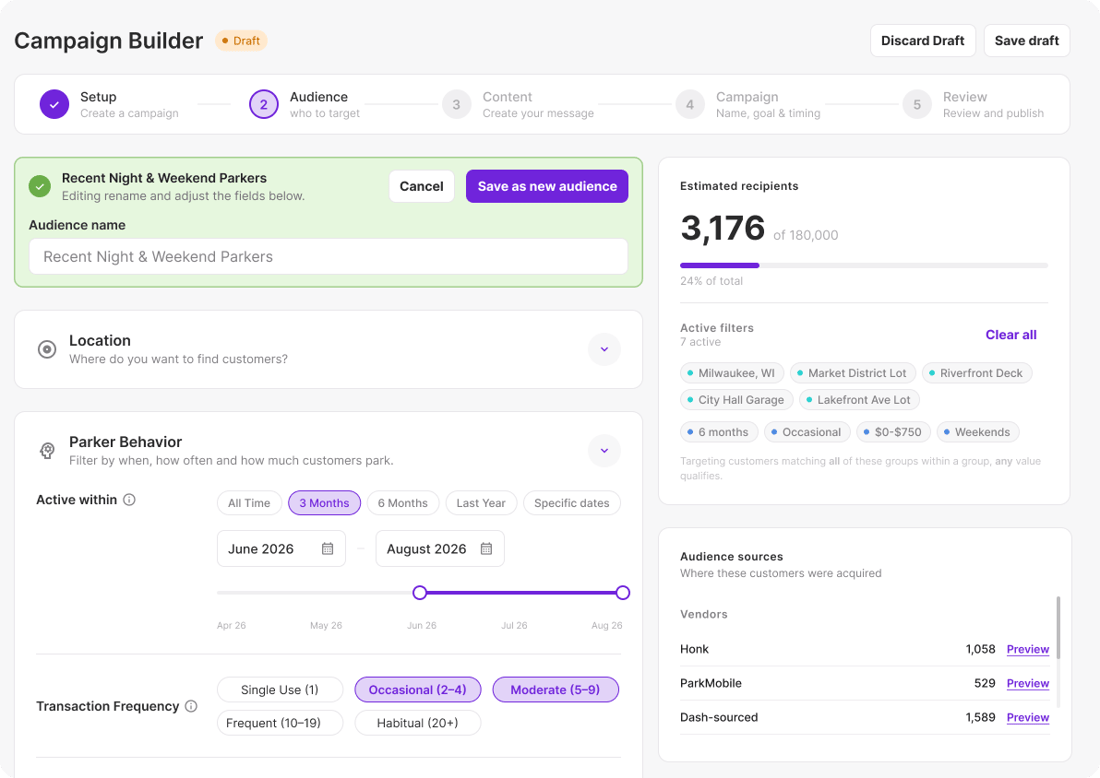
Campaign Builder audience step: Recent Night & Weekend Parkers, 3,176 estimated recipients (demo data)

Two ways to send

Plan the moment, or let the parker create it

Campaign Builder and triggers share the same audiences, templates and reporting.

Campaigns

You pick the audience and the moment. Send once, now or at a scheduled time, or on a recurring schedule.
Triggers

The parker's behavior picks the moment. Send automatically when a customer meets a condition.

The questions it answers

“Which campaigns are driving the strongest engagement and conversions?”

Marketing Manager · Campaign Builder

“How do I bring lapsed monthly parkers back before they churn?”

Revenue Manager · Triggers

“How do I fill the garage on a slow Tuesday without discounting Saturday?”

Operations Manager · Segments + local events

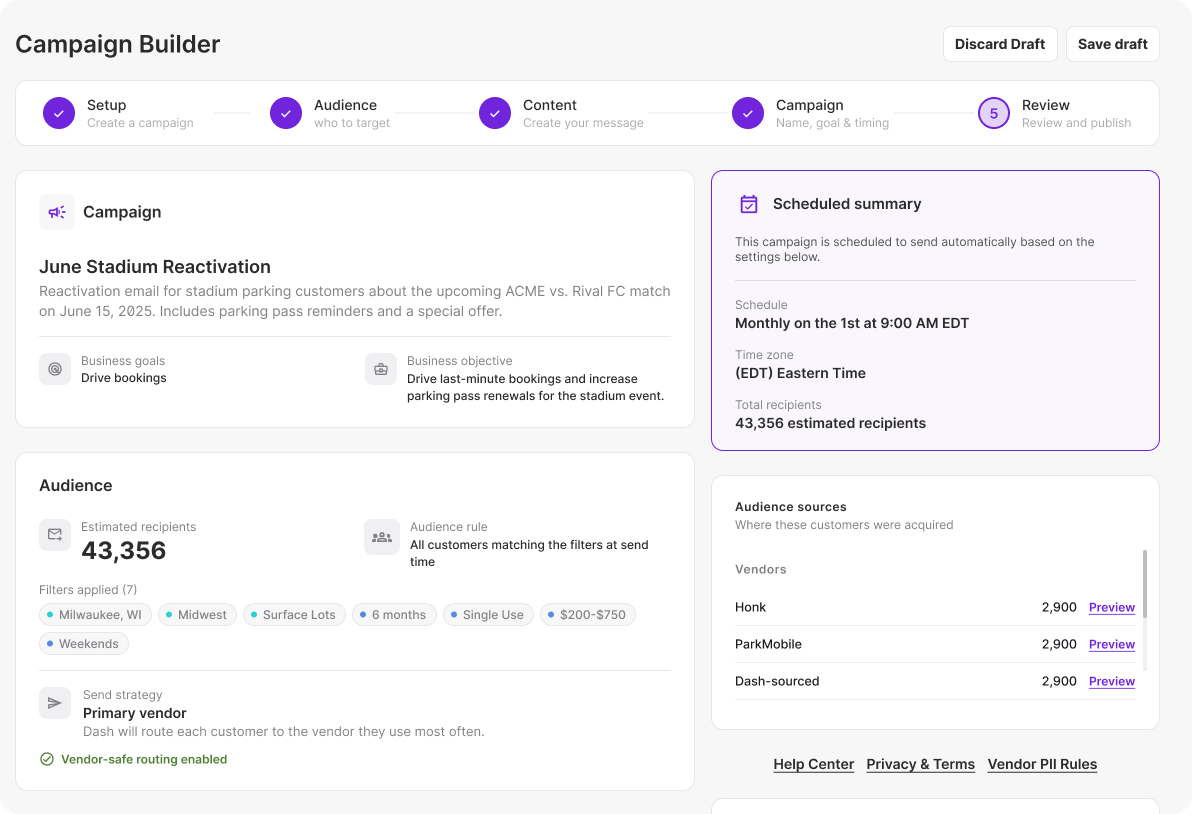
Campaign Builder review step: scheduled campaign with audience, delivery and email preview (demo data)

From customer signal to campaign in a few clicks

Pick any DashCore segment, build the email in your brand, and schedule it for the moment that matters: an event weekend, a rate change, a seasonal push. Every campaign reports opens, clicks, redemptions and the revenue that followed.

Setup → Audience → Content → Campaign → Report

Target without guessing. Build precise audiences from real parking behavior (visit count, spend, recency, typical days and times) and put them straight into a campaign.
Request Demo
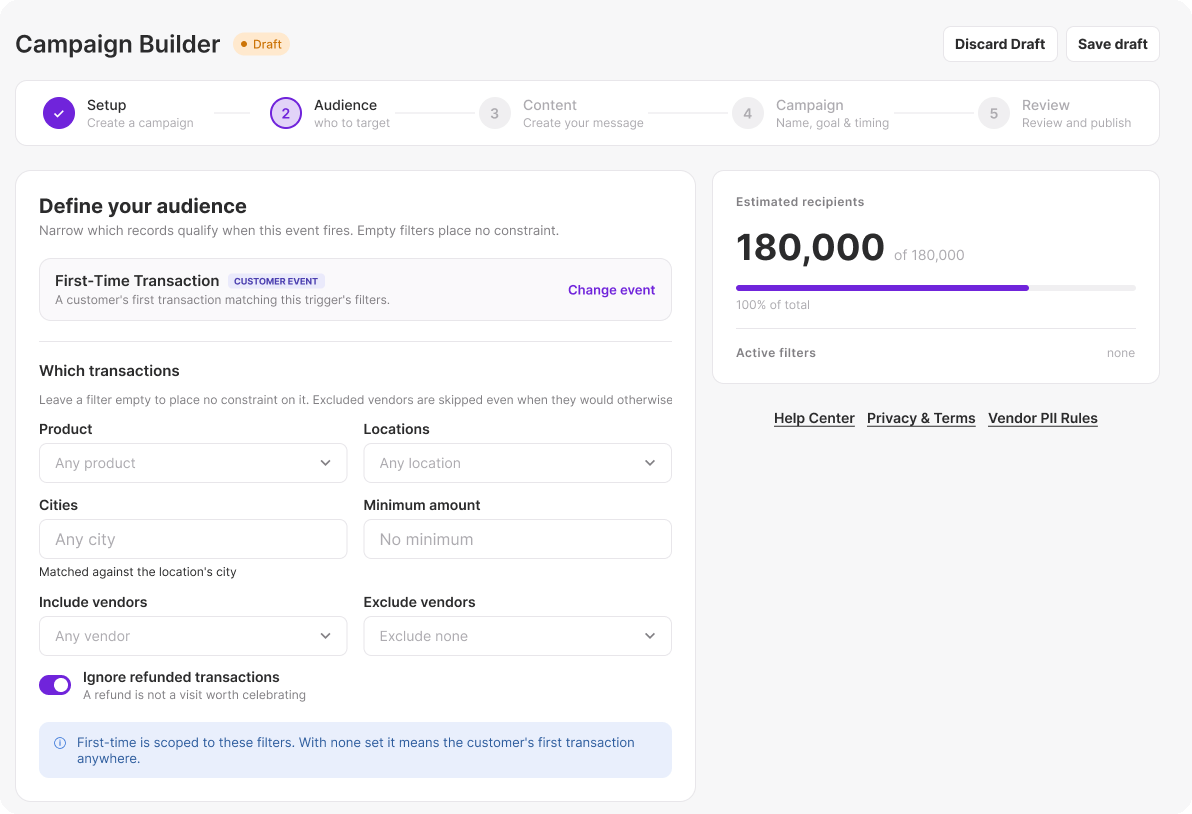
Trigger setup: First-Time Transaction event with transaction filters (demo data)

Automate the moments that matter

Use customer events to deliver the right information at the right time, without relying on manual follow-up. Set a trigger once and it runs on every location it's assigned to.

Fires on: form submission · lead created · lead converted · first-time transaction · transaction milestone · new subscription.
Request Demo

Trigger journeys

Turn customer behavior into action

Three journeys operators set up first. Each one runs from a data signal to a measurable outcome.

Repeat visits

Turn real parking activity into insight, automated marketing and measurable outcomes.

DataInsightActionOutcome
First Transaction
Customer completes their first parking transaction
New Customer
First-time parker with no previous visit history
Return Campaign
Automatically send a relevant return offer
2nd Visit
Encourage the next transaction and build repeat behavior
Loyalty Milestone
Customer reaches a defined visit or spend milestone
High-Value Customer
Recognize customers reaching meaningful milestones
Loyalty Campaign
Trigger recognition, reward or relevant offer
More Repeat Visits
Strengthen loyalty and customer value
Monthly growth

Use spend, parking behavior and customer activity to identify and grow monthly parking opportunities.

DataInsightActionOutcome
High Transient Spend
Customer spends a set amount within a defined period
Monthly Opportunity
Monthly parking may offer better value
Monthly Offer
Automatically promote the relevant monthly product
Monthly Conversion
Convert transient spend into recurring revenue
High Visit Frequency
Customer parks a set number of times within a defined period
Regular Parker
Repeat behavior signals an ongoing parking need
Monthly Offer
Automatically send the relevant monthly option
Monthly Conversion
Turn frequent parkers into monthly customers
Customer service

Use customer events to deliver the right information at the right time, without relying on manual follow-up.

DataInsightActionOutcome
New Subscription
A monthly parking subscription is created
New Monthly Customer
A new customer needs information to get started
Automated Onboarding
Automatically send welcome, access and arrival information
Ready to Park
Give customers a smooth start with fewer questions
Lead Converted
A prospect becomes a customer
Customer Status Changed
Acquisition messaging is no longer relevant
Change Journey
Automatically move them from prospect to customer communications
Relevant Communications
Keep messaging aligned with the customer relationship
Form Submission
A customer submits a specific service request
Request Type Identified
Dash knows what the customer needs
Route & Respond
Trigger the appropriate response or next-step communication
Faster Service
Reduce manual handling and respond faster

Examples

Two campaigns, start to finish

Example campaigns with full guides. Case studies are coming.

Championship Football Game

Example · Single scheduled send

Audience: Parkers with past sports-event history, plus recent evening and weekend parkers

Timing: One email, 5 days before kickoff, matching the typical advance-booking window

Goal: Advance reservations at nearby facilities

Subject line: “Big game Saturday? Lock in your spot”

Concert Series

Example · Every show date

Audience: Recent night and weekend parkers, last season's concertgoers and first-time parkers this season

Timing: An awareness email 3 days before each show and a plan-your-parking reminder the day before

Goal: Turn occasional concertgoers into repeat parkers

Subject line: “Tomorrow night: plan your parking”

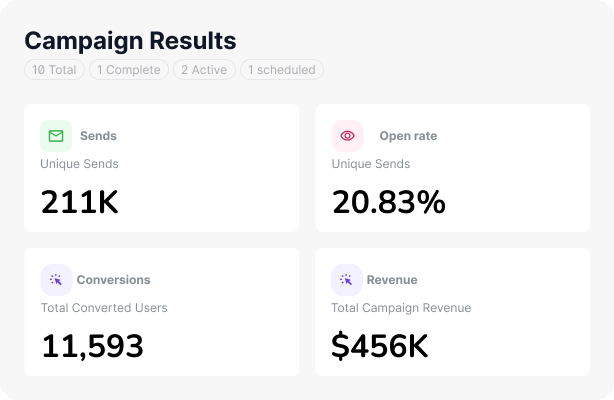
Campaign Results: sends, open rate, conversions and revenue (demo data)

Every campaign has a return

Campaigns and triggers report the same metrics, so you can compare what you planned with what parkers set off.

Reported for every send: sends · opens · clicks · promo redemptions · lead conversions · attributed revenue.

Demo data shown.

Want us to run it? DashAgency plans, builds and reports on campaigns and triggers for you.

Meet DashAgency

FAQ

Questions about campaigns and triggers

What is a trigger in DashCore?

An automated message that sends when a customer meets a condition. Triggers can fire on a form submission, a new lead, a first-time transaction, a visit or spend milestone, a new monthly subscription, or a lead converting to a customer. You set a trigger up once, and it runs on every location it's assigned to.

What's the difference between a campaign and a trigger?

You send a campaign: you pick the audience and the time, as a one-off or on a schedule. A trigger sends itself when a parker does something specific, such as a first park, a lapsed account or a new lead. Most operators use both: campaigns for moments they plan, triggers for moments parkers create.

How is this different from a regular email platform?

Email platforms only know what's on a list. DashCore knows transactions, visits, locations and accounts, so it can segment by real parking behavior and attribute revenue to each message.

Do I need to replace my PARCS or permit system?

No. DashCore connects to the systems you already run and reads the data they produce. See all 25+ integrations.

Can I send in my own brand?

Yes. Templates use your logos, colors and sender details, per location or per brand.

Does DashCore send SMS?

Not yet. Campaigns and triggers send by email today, and SMS is on the roadmap.

Can Dash run campaigns for us?

Yes, through DashAgency. Our team plans, builds and reports on your campaigns and triggers.

How do I know a campaign worked?

Every campaign and trigger reports sends, opens, clicks, promo redemptions, lead conversions, and the revenue from parkers who acted on it.